§ 01Overview
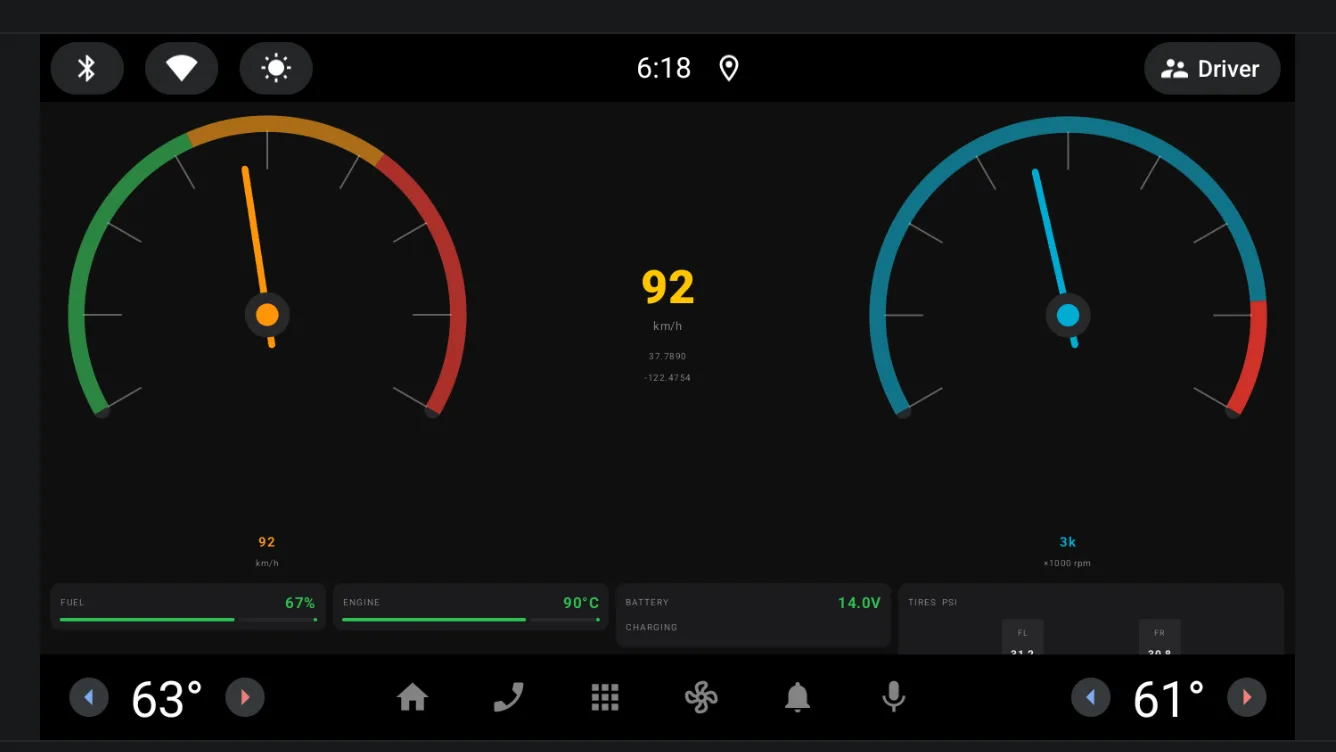
A telemetry pipeline built the way an in-car system would need it: a backend that produces sensor readings ten times a second, evaluates warnings, persists history, and an Android Automotive app that renders it live.
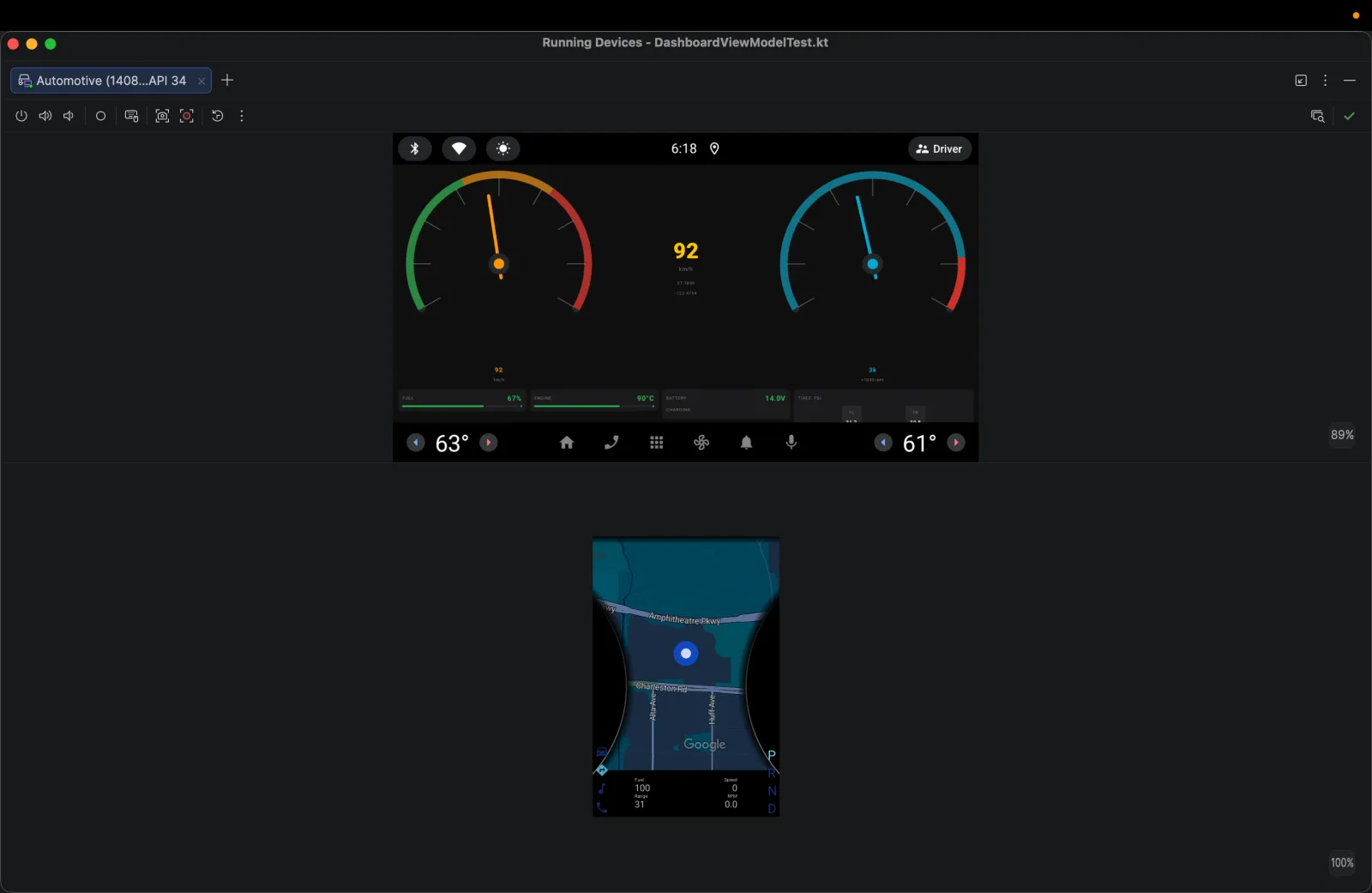
The whole backend starts with one docker compose command; the Android app connects from the emulator and shows gauges, warnings and history.
§ 02Problem & solution
Problem
Broadcasting at 10 Hz is easy; writing every frame to the database is not — that's 864,000 rows per vehicle per day. Warnings that flicker around a threshold can flood the client, and in-car connectivity is unreliable.
Solution
Decouple the live stream from storage: every tick is broadcast over STOMP, but only every tenth is persisted, asynchronously, on a bounded thread pool. Warnings have a cooldown, and the Android client reconnects with exponential backoff.
§ 03My role
Solo developer — backend, Android client, infrastructure. What I personally implemented:
- 01Built the Spring Boot backend: scheduled sensor simulator, STOMP broker topics for telemetry and warnings, and REST endpoints for history, latest and stats.
- 02Throttled persistence to 1 Hz with @Async on a ThreadPoolTaskExecutor (4–8 threads, queue of 500) so database I/O never blocks the tick.
- 03Wrote a warning engine with configurable thresholds for speed, RPM, fuel, engine temperature, battery voltage and tire pressure, plus a 10-second cooldown per warning type.
- 04Indexed (vehicle_id, recorded_at DESC) for fast history queries and added retention cleanup.
- 05Built the Android Automotive client in Kotlin: foreground service, OkHttp WebSocket with backoff and jitter, Room cache, Hilt, MVVM and a Jetpack Compose dashboard.
- 06Containerized backend and Postgres with Docker Compose; health checks through Spring Boot Actuator.
§ 04Architecture
- L1Producer
- Sensor simulator · @Scheduled 100 ms
- WarningService · thresholds
every tick (10 Hz) - L2Transport
- STOMP broker
- /topic/telemetry
- /topic/warnings
every 10th tick (1 Hz), async - L3Persistence
- @Async · ThreadPoolTaskExecutor
- Spring Data JPA
- PostgreSQL 15
history, latest, stats - L4API & ops
- REST /api/telemetry
- Actuator health
- Docker Compose
live frames + REST history - L5Client
- AAOS foreground service
- OkHttp WebSocket
- Room · Compose UI
- Scheduling uses fixedDelay, not fixedRate, so a slow tick can't create a backlog.
- Persisting at 1 Hz cuts writes from 864k to 86.4k rows per vehicle per day.
§ 05Technology stack
- Backend
- Java 21Spring Boot 3.3Spring WebSocket (STOMP)Spring Data JPASpring SecurityActuator
- Data & infra
- PostgreSQL 15GradleDocker Compose
- Android
- KotlinJetpack ComposeHiltRoomOkHttpAndroid Automotive OS
- Testing
- JUnit (WarningService)ViewModel unit testsPostman collection
§ 06Key features
- F01
10 Hz live stream
Speed, RPM, fuel, temperature, battery and tire data over STOMP.
- F02
Threshold warnings
Configurable limits with WARNING and CRITICAL severities.
- F03
Storm protection
Per-type cooldown stops the same warning re-firing for 10 seconds.
- F04
History API
Paginated history, latest reading and aggregate stats over REST.
- F05
Resilient client
Exponential backoff with jitter, from 2 s up to a 60 s cap.
- F06
One-command setup
Backend and Postgres start with docker compose up.
§ 07Engineering challenges
Write amplification
Problem
Persisting every 10 Hz frame would mean 864,000 rows per vehicle per day.
Approach
Broadcast every frame, persist every tenth asynchronously — a 10× reduction with no loss in the live view.
Warning storms
Problem
A value hovering around a limit fires the same warning on every tick.
Approach
Track the last tick each warning type fired and suppress repeats for 100 ticks (10 seconds).
Unreliable networks
Problem
Cars lose connectivity; naive reconnect loops hammer the server.
Approach
Exponential backoff with 20% random jitter, capped at 60 seconds, inside a foreground service.
§ 08Screens
§ 09Links
- GitHub (opens in a new tab)github.com/tinhne/vehicle-telemetry
No public demo — the client runs on an Android Automotive emulator. Setup steps are in the repository README.